
Short answer: yes, your IP address can change — and for most people it does, from time to time, without any action on their part. Whether it changes depends on the kind of address your provider assigns and on a few everyday events.
Dynamic addresses change; static ones don't
Most home connections use a dynamic IP address, which your provider rotates automatically. A smaller number of connections use a static address that stays fixed. The difference is covered fully in Static vs Dynamic IP Addresses, but the short version is: if you have a dynamic address, change is normal.
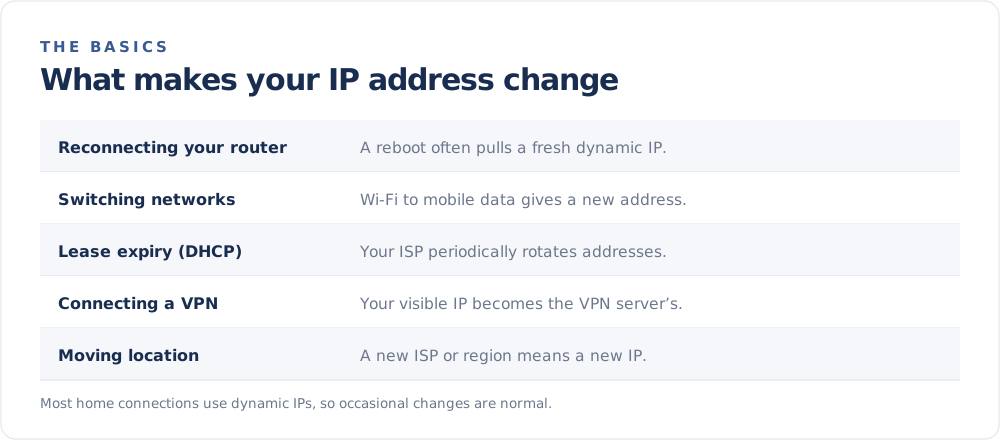
What causes your IP to change
Rebooting or unplugging your router
When your router reconnects, it often requests a fresh address from your provider through DHCP. You may get the same one back, or a new one.
Switching networks
Move from home Wi-Fi to mobile data, or connect at a café, and your public IP changes entirely — you are on a different network with a different address.
Your DHCP lease expiring
Providers lease addresses for a set period. When the lease renews, you might be issued a different address even if nothing on your end changed.
Connecting to a VPN
A VPN replaces your visible IP with the server's address. Connect, disconnect, or switch servers, and the address the world sees changes immediately.
Moving or changing providers
A new home, a new ISP, or a new plan all come with new addresses.
Can I force my IP to change?
Often, yes:
- Restart your router (leaving it off for a minute or two can help).
- Switch to a different network, such as mobile data.
- Use a VPN or proxy to control the address sites see — see How to Hide Your IP Address.
If you have a static address, none of these will change the underlying IP; you would need to ask your provider.
Can I keep the same IP instead?
If you need a consistent address — for hosting or reliable remote access — ask your provider about a static IP, or use a dynamic DNS service that tracks your changing address and keeps a stable hostname pointed at it.
Want to watch it in action? Note your address on the FindMyIP home page, reboot your router, and check again.