
You check your IP location and it shows a city an hour away — or even a different state. This is normal. IP geolocation is an educated estimate, not a GPS fix, and several things can throw it off.
IP location is about your network, not your address
An IP address is tied to your internet provider's network, not to your physical home. Location services work by matching your address to large databases that map address blocks to approximate areas. That mapping is often accurate to the right region, but it was never designed to pinpoint a house.
Common reasons it looks wrong
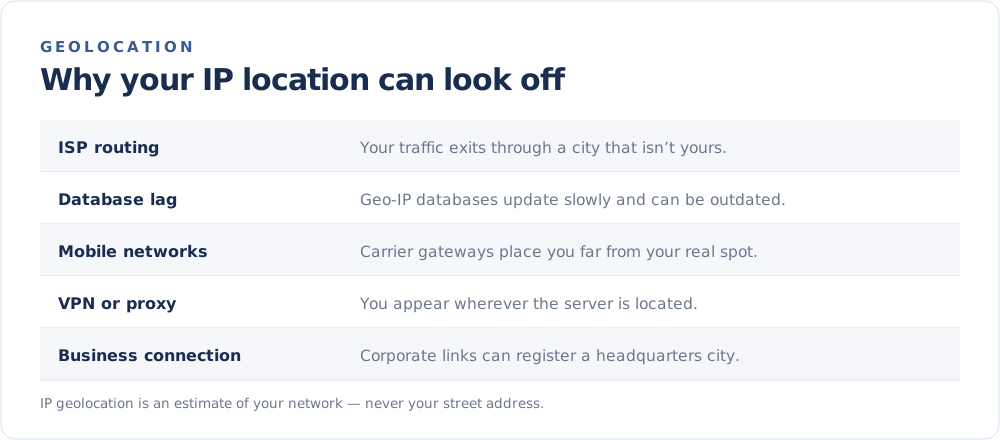
1. Your provider routes traffic through another city
Internet providers manage their networks in regional hubs. Your connection may appear to originate from the city where that hub sits, rather than your town.
2. The database is out of date
Geolocation databases are updated periodically. If your provider recently reassigned address blocks, the records can lag behind reality for weeks or months.
3. You are on a mobile network
Cellular traffic often exits through gateways that can be far from the tower you are connected to. Mobile IP locations are frequently the least precise.
4. You are using a VPN or proxy
If you route your traffic through a VPN or proxy, your visible location becomes wherever that server is. That is the whole point — see How to Hide Your IP Address.
5. It is a business or satellite connection
Corporate networks may register their headquarters city, and satellite internet can anchor you to a distant ground station.
Is an inaccurate location a problem?
Usually not — and it can even be reassuring. It means your IP address is not broadcasting your exact home location. If anything, the gap between the estimate and reality shows how little precise information an IP address reveals. For the bigger picture, see What Can Someone Do With Your IP Address?.
When accuracy matters
Some services (like regional streaming or local search) rely on IP location. If yours is wrong and causing issues:
- Turn off any VPN or proxy and recheck.
- Restart your router to request a fresh address.
- Contact your provider if the region is consistently incorrect.
You can see the location currently associated with your connection on the FindMyIP home page. Just remember it is an approximation of your network — not a marker on your doorstep.