
There are two IP addresses you might want to find: your public address (the one the internet sees) and your private address (the one your device uses on your home network). Here is how to find both.
Find your public IP (the fast way)
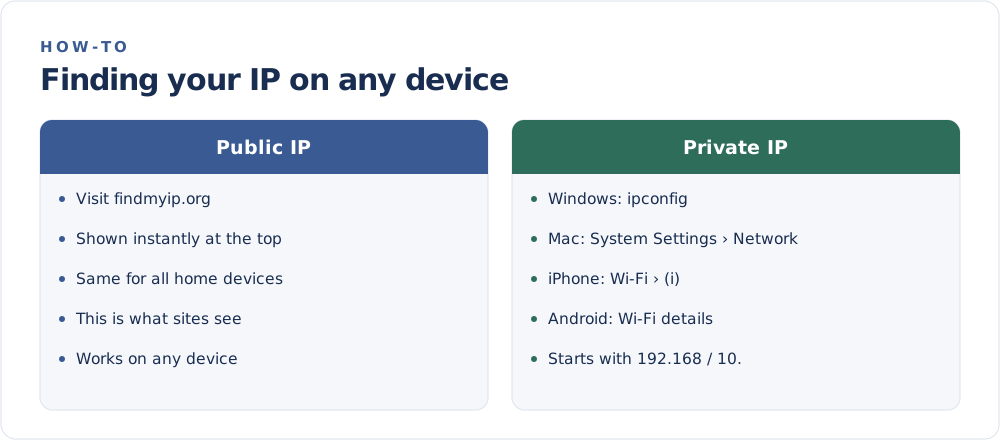
Your public IP is identical for every device on the same connection, so the quickest method works everywhere:
Visit the FindMyIP home page. Your public address appears instantly at the top of the page, along with your approximate location and provider. No app, no sign-up.
This is the address websites, apps, and online services actually see. If you are unclear on the difference, read Public vs Private IP Addresses.
Find your private IP by device
Your private address identifies your device within your home network. It usually starts with 192.168, 10., or 172.16–172.31.
Windows
- Open Settings › Network & Internet.
- Select your Wi-Fi or Ethernet connection, then Hardware properties.
- Look for IPv4 address.
Or open Command Prompt and type ipconfig, then read the IPv4 Address line.
Mac
- Open System Settings › Network.
- Select your active connection (Wi-Fi or Ethernet).
- Your IP address is listed under Details.
iPhone and iPad
- Open Settings › Wi-Fi.
- Tap the (i) next to your network.
- Find the IP Address under the IPv4 section.
Android
- Open Settings › Network & internet › Wi-Fi.
- Tap your connected network.
- Expand Advanced or tap the gear icon to see the IP address.
(Exact menu names vary slightly by version and manufacturer.)
Find your router's IP address
Your router's private address — often 192.168.0.1 or 192.168.1.1 — is the gateway you type into a browser to open its settings.
- Windows: run
ipconfigand read the Default Gateway. - Mac: System Settings › Network › Details › TCP/IP, see Router.
- iPhone/Android: on the Wi-Fi details screen, look for Router or Gateway.
Quick reference
- Public IP → visit FindMyIP — same for all your devices.
- Private IP → your device's network settings — different per device.
- Router IP → the "default gateway" on your device.
If your public IP looks like it is in the wrong place, that is expected — see Why Is My IP Location Wrong?.